
SOAP APIs (GQL PAPI)
Creating a SOAP API
Use the createApisFromSpecs mutation, specifying a specType variable value of WSDL.
Successful API creation will return an apiId and trackingId for viewing the asynchronous upload progress (see screenshot below). Use the apiSpecImportProgresses query to track the asynchronous progress of the API creation.
mutation createApisFromSpecs($creations: [ApiCreateFromSpecInput!]!) {
  createApisFromSpecs(creations: $creations) {
		apiId
		trackingId
  }
}
{
  "creations": {
    "specType": "WSDL",
    "category": "Other",
    "SOAP test July 14"
  }
}
Creating a SOAP API without a WSDL file
If you want to create a SOAP API before having the final WSDL file, create your API with any simple WSDL file and replace it later using the
updateApisFromSpecsmutation described below.
Using the API playground to create a SOAP API
Scroll down to the Files section in the middle frame and select your local WSDL file:
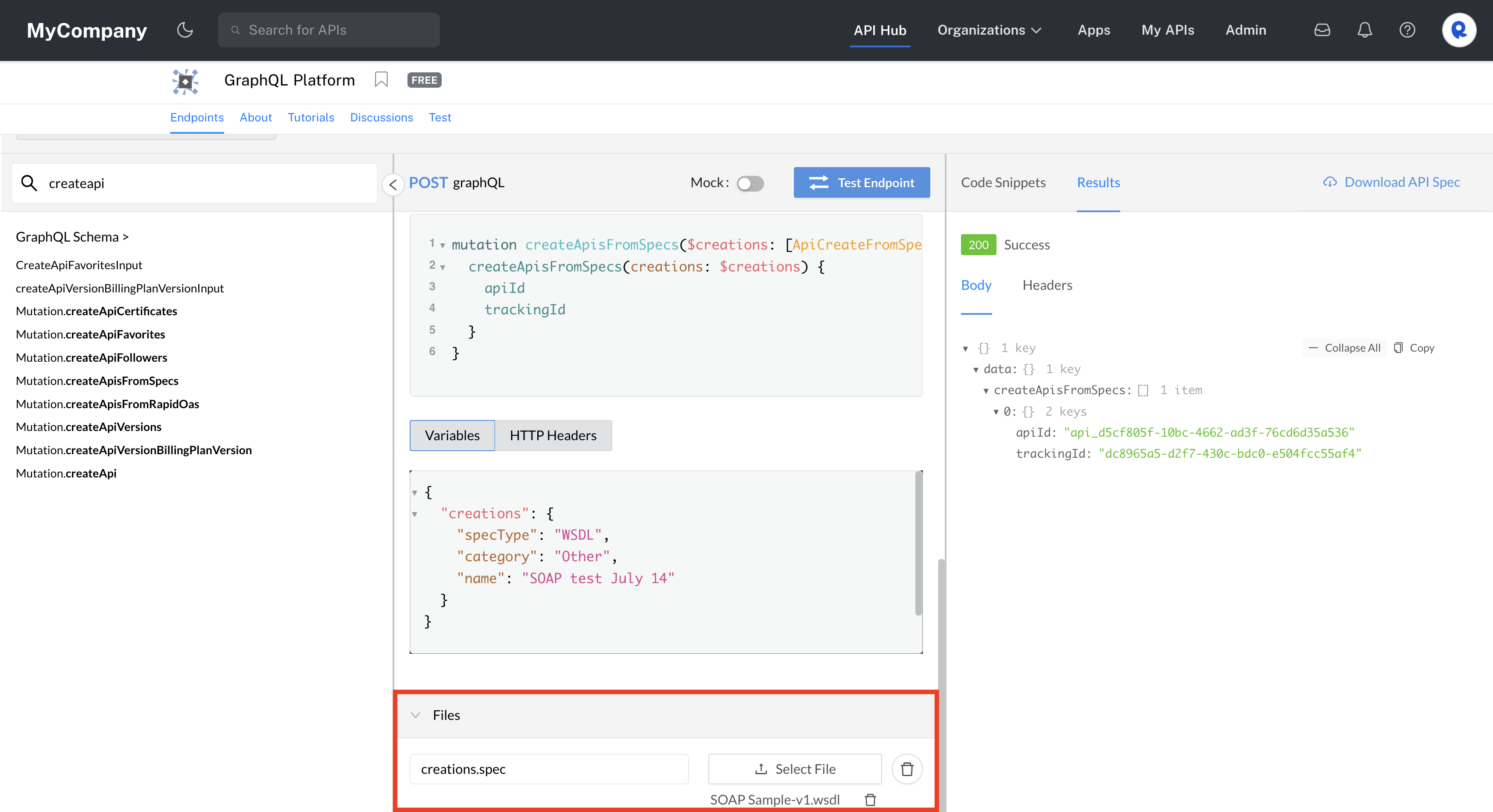
Creating a SOAP API using the GraphQL Platform API in the playground.
Programmatically creating a SOAP API
The following sample Node.js Axios code executes the Mutation.createApisFromSpecs operation programmatically.
TBD
Updating a SOAP API
Use the updateApisFromSpecs mutation, specifying a specType variable value of WSDL. You must also specify the apiVersionId for the API.
Successful API update will return the original apiId and trackingId for viewing the asynchronous upload progress (see screenshot below). Use the apiSpecImportProgresses query to track the asynchronous progress of the API creation.
mutation updateApisFromSpecs($updates: [ApiUpdateFromSpecInput!]!) {
  updateApisFromSpecs(updates: $updates) {
		apiId
		trackingId
  }
}
{
  "updates": {
    "apiVersionId": "apiversion_078c0415-41a0-4d3f-a042-49c1ee027a7b",
    "specType": "WSDL"
  }
}
Using the API playground to update a SOAP API
Scroll down to the Files section in the middle frame and select your local WSDL file:
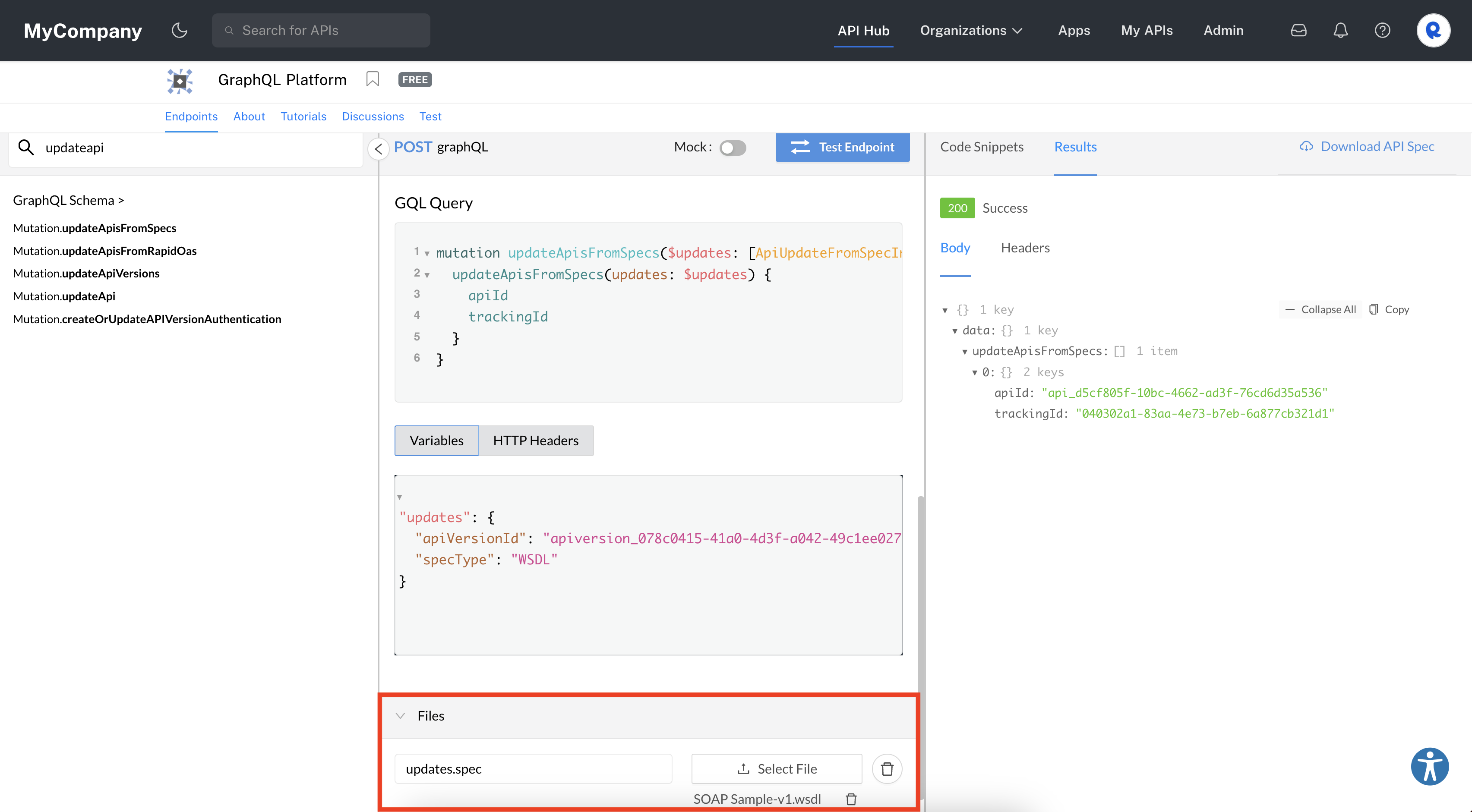
Updating the WSDL file for a SOAP API using the GraphQL Platform API in the playground.
Updated over 3 years ago